

Blog
How to Choose the Best Smart Paging Machine?
Choosing a Smart Paging Machine is not simply a matter of comparing prices or counting buttons. The right system should fit the pace of your operation, the size of your space, and the people who rely on it. A café may need discreet guest alerts across a busy dining room; a clinic may value clear messages, dependable coverage, and simple staff workflows. Small details matter.
Design researcher Don Norman offers a useful principle: “Good design is actually a lot harder to notice than poor design, in part because good designs fit our needs so well that the design is invisible.” His observation concerns design broadly, not paging machines specifically, but it highlights a practical buying test: can staff use the system easily during a real shift? Check alert range, battery life, charging routines, signal clarity, and how quickly new employees can learn the controls. Test these details in your own environment, where walls, noise, and daily routines can reveal problems that a product sheet cannot.
This guide explains how to compare Smart Paging Machine options, assess essential features, and weigh support against upfront cost. A polished demo is not proof of reliable daily performance. Ask vendors for realistic demonstrations, clear specifications, and service details. Some trade-offs will remain; a longer range, for example, may not matter if your layout is compact. The best choice is the one that solves your actual communication problem, not the one with the longest feature list. And if your needs change, reassess the decision. A system that works today may need a different setup tomorrow.
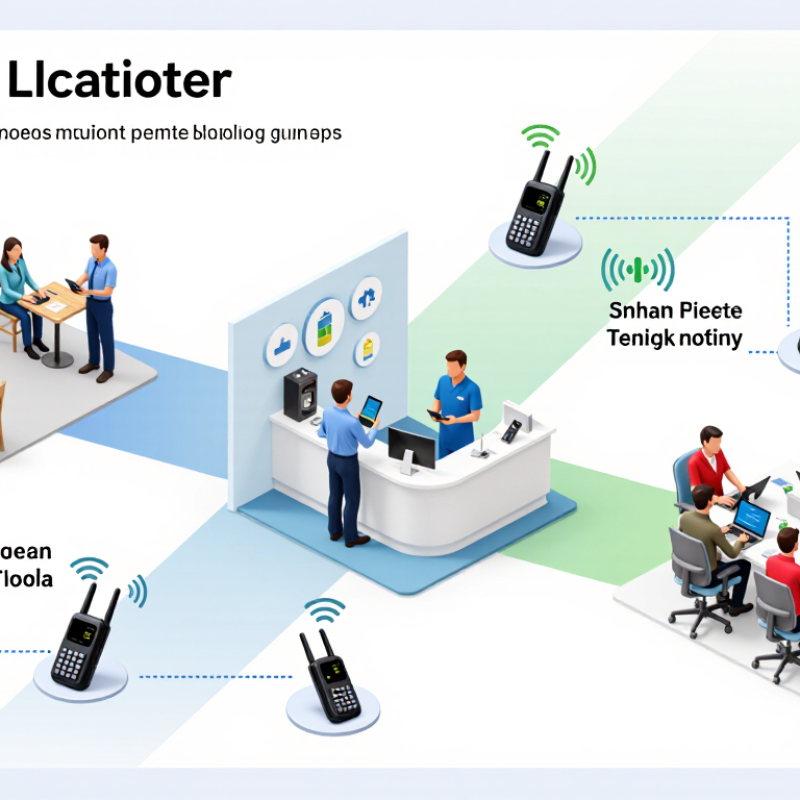
Define Your Paging Needs and Operating Environment
Before comparing smart paging machines, define who must receive each message, how quickly they must act, and what happens if nobody responds. A warehouse may need a vibrating alert that cuts through forklift noise; a clinic may need discreet, role-based messages and an escalation path. Walk the actual route, including stairwells, loading bays, and break rooms. Check dead zones during a busy shift, not just in an empty building. Small detail, big difference. NIOSH’s Criteria for a Recommended Standard: Occupational Noise Exposure recommends limiting average workplace noise exposure to 85 dBA over eight hours. That figure is not a paging-volume target; it is a reminder to assess noise and hearing safety together.
Write down operating conditions before choosing features: indoor or outdoor use, temperature, dust, moisture, network reliability, and whether staff wear gloves. Specify message length, battery expectations, delivery confirmation, and backup procedures. In clinical settings, notification design deserves particular care. The Joint Commission’s 2013 Sentinel Event Alert reported 98 alarm-related sentinel events submitted from 2009 through June 2012, including 80 deaths. These reports do not measure paging-machine failure rates, but they underline the risks of unclear ownership and missed alerts. A site walk is more useful than a brochure, though it is easy to skip. Test with real staff. Then revise the plan; assumptions rarely survive a noisy shift.
How to Choose the Best Smart Paging Machine? — Define Your Paging Needs and Operating Environment
Rate each requirement from 1 (low priority) to 5 (high priority) for your site. The scores below are illustrative planning values, not measured results; adjust them to reflect your coverage area, workflows, and environment.
Compare Paging Range, Capacity, and Alert Options
A paging machine’s stated range is only a starting point. Walls, refrigerators, shelving, and crowded rooms can weaken signals. A device that works across an empty parking area may behave differently behind a kitchen wall. Test it along the actual route, including corners and outdoor seating. Test it onsite.
Capacity means more than how many pagers come in the box. Check how many units can be paired, how many requests can be handled at once, and whether staff can identify the right guest quickly. During a lunch rush, a small number of available pagers can slow service. But buying far more than you need ties up storage and charging space. Estimate peak demand, then leave room for a few extra units.
Alert options should suit the setting. Vibration works well where noise is unwelcome; audible tones are easier to notice in busy areas. Flashing lights can help guests who may not hear a tone, though bright sunlight can make them harder to see. Some systems offer more than one alert. Check how alerts are changed and whether pager batteries last through your busiest shift. These details are easy to overlook, and I would not rely on a specification sheet alone. A short trial with staff and a few guests can reveal awkward spots.
Check Compatibility with Your Existing Systems
Before choosing a smart paging machine, map how messages move through your existing systems. List the platforms that trigger alerts, such as a nurse-call console, booking tool, or dispatch dashboard. Check whether the pager receives messages through your current network, gateway, or a required interface. “Compatible” can mean several things. Ask which message fields transfer, how quickly updates arrive, and whether acknowledgments return to the source system. That detail matters when staff need to know an alert was received, not merely sent.
Confirm the machine supports your network frequency, security settings, and power arrangements. Then test it with real devices and ordinary messages, including long names, urgent alerts, and busy periods. Watch for delays, missing characters, or duplicate notifications. Ask about software updates and what happens if a connection drops. A specification sheet may look reassuring, but it cannot reveal every workflow snag. One overlooked setting can create extra steps for staff.
Tips: Request a trial using your actual setup. Keep a list of integration questions, and ask who will resolve issues after installation. Small test, useful evidence.
How to Choose the Best Smart Paging Machine? - Check Compatibility with Your Existing Systems
| Compatibility Dimension | What to Verify | Useful Evidence or Test | Compatibility Risk |
|---|---|---|---|
| Paging receivers | Confirm that existing pagers support the transmitter’s frequency band, channel settings, and signaling protocol. | Check receiver documentation and run a test page with each receiver type. Matching frequency alone does not guarantee protocol compatibility. | High if protocol or frequency details are unknown. |
| PBX and telephone system | Determine whether calls or extensions need to trigger pages, and which interfaces the PBX can provide. | Compare supported connection methods, such as SIP or an analog audio input. SIP features and configuration requirements vary by system. | Medium if an adapter or configuration change may be needed. |
| Network and IT environment | Check wired or wireless connectivity, IP addressing, firewall rules, and any required network services. | Ask for the installation guide’s port and network requirements; have IT review them before deployment. Do not assume that a network-connected device works on every VLAN. | Medium; higher where network access is restricted. |
| Call buttons and external triggers | Verify the number and electrical type of inputs required by existing buttons, alarms, or control equipment. | Compare input specifications, such as contact closure or voltage-triggered input, with the connected equipment. Use an appropriate interface when specifications differ. | Medium if trigger type or ratings are unverified. |
| Alarms and building controls | Check whether the paging machine can receive the required alarm signal or provide a relay output to other equipment. | Review input/output contact ratings and test the intended signal path. A paging alert should not be treated as a substitute for a certified life-safety alarm system. | High for safety-related integrations without formal review. |
| Audio and announcement equipment | Confirm audio input type, level, connector, and whether the system needs live voice, recorded messages, or both. | Test audio clarity and volume using the existing microphone or audio source; check for feedback, distortion, and the intended speaker or pager coverage. | Medium if audio levels or connectors differ. |
| Coverage and site layout | Assess building size, walls, floors, interference sources, and the locations where pages must be received. | Conduct an on-site reception test in representative areas. Actual range depends on the environment and installation, not just the stated maximum range. | High if coverage has not been tested on site. |
| Power and installation | Check supply voltage, plug or wiring requirements, mounting location, ventilation, and backup-power needs. | Match the device’s rated power requirements to the site supply and follow the installation instructions. Confirm backup operation separately if required. | Medium; higher if uninterrupted operation is essential. |
| Capacity and paging workflow | Estimate the number of users, paging groups, simultaneous events, and message types needed. | Compare documented limits and test common workflows, including group selection, priority handling, and message delivery during busy periods. | Medium if peak usage has not been estimated. |
| Regulatory and security requirements | Check that radio equipment is permitted for the intended location and that network access meets local IT policies. | Verify applicable radio approvals and operating rules with the relevant authority or qualified installer. Review passwords, access control, and software-update procedures. | High if approvals or security requirements are unclear. |
Practical selection tip: document the existing system’s interfaces and receiver specifications first, then request a compatibility check and perform an on-site test before replacing or expanding the paging system.
Assess Ease of Use, Durability, and Support
A smart paging machine should feel clear before it feels clever. Ask someone who did not join the sales demonstration to send a test page. Can they find the right recipient, set an alert, and confirm delivery without coaching? Watch for small friction: cramped buttons, vague status icons, or menus that take several taps. Check whether message volume and vibration can be adjusted for a noisy kitchen or quiet clinic. Simple matters.
Durability shows up in daily handling. Look for a casing that resists scuffs, secure charging contacts, and a battery that lasts through a full shift. Ask how performance changes after repeated charging, and whether replacement batteries or parts are available. A polished demo can hide awkward routines; test the device during a normal workday, not just at a desk. It may still feel unfamiliar at first.
Support deserves the same scrutiny as hardware. Ask who answers setup questions, what response times are typical, and whether help is available after installation. Request clear guidance for updates, troubleshooting, and staff training. Check the warranty terms in writing. A low purchase price can become less attractive if a minor fault leaves devices unusable for days. No checklist catches everything, so note what feels uncertain during the trial.
Compare Total Costs and Select the Best-Fit Machine
A smart paging machine should be judged by its total cost, not its sticker price. Add the pagers, charging dock, transmitter, setup, staff training, repairs, and likely replacements. Check whether software, extra units, or support carry recurring fees. For a busy café, even small costs add up.
The National Restaurant Association’s 2024 State of the Restaurant Industry report puts median pre-tax income at 2.8% of sales for full-service restaurants and 4.0% for limited-service restaurants, based on 2022 figures. Those narrow margins make a practical cost comparison important. Estimate how much staff time paging could save, but use your own shift records rather than a supplier’s best-case projection. A machine that saves a few minutes during a quiet lunch may not earn its keep.
Try the system in the actual service area. Note dead spots near tiled walls, how long pagers take to recharge, and whether staff can clean and return them quickly. Then compare the full first-year cost with the labor time and service delays it may reduce. Include replacement units; they are easy to forget. A spreadsheet helps, but it can still miss the small frustration of a pager that fails during a dinner rush. Don’t overstate the savings.

